 Ravensight
THE FIRST SESSION
Where does the journey stop?
Build funnels from your tracked events. Compare onboarding steps and progression milestones to find the questions worth investigating.
UNITY PLAYER ANALYTICS
Understand the first session, the next session, and the places in between. Ravensight connects your Unity game’s events to the questions behind player retention.
Illustrative session loop. This is not measured customer retention data.
BUILT AROUND THE GAME YOU ARE MAKING
THE FIRST SESSION
Build funnels from your tracked events. Compare onboarding steps and progression milestones to find the questions worth investigating.
THE RETURN VISIT
Explore retention alongside your game’s player activity. Understand returning players without reducing the whole experience to a single chart.
THE NEXT ITERATION
Use Huginn to query your own data and investigate player behavior. Bring those findings into the next design decision, then look again after a change.
A CLEARER VIEW OF PLAYER RETENTION
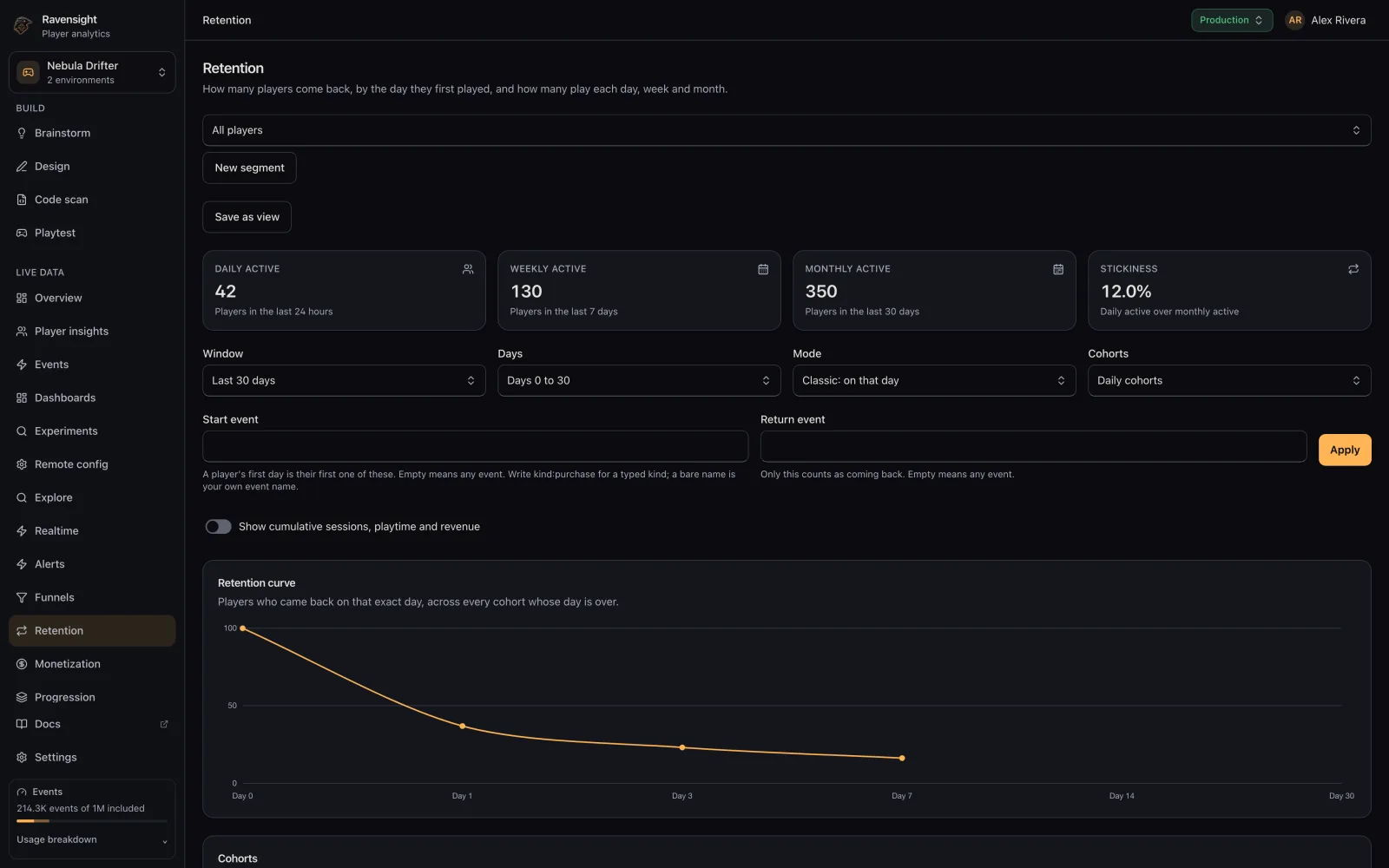
Explore retention in the same workspace as events, players and funnels. Move from a broad pattern to the moments you actually instrumented.
A SMALL START. A BETTER FEEDBACK LOOP.
Add the SDK to your project and configure your game key using the Unity repository’s integration guide.
Track onboarding, progression and the mechanics that matter to your game. Your event design sets the questions you can answer.
Review retention and funnels, investigate your hypotheses, and use the evidence to choose your next iteration.
THE PRACTICAL DETAILS
No tool can promise that. Ravensight helps you observe player behavior and investigate possible friction. Your design decisions, instrumentation and player research determine what you do next.
Yes. The Unity SDK sends custom events and properties, so your analytics can reflect your progression and mechanics. See the Unity SDK documentation for the supported API.
Your studio shares 1,000,000 included events and 10 AI units each month, with no card required. A player event counts as one event. Other operations can use weighted events, and paid Playtest runs use prepaid balance. See full pricing.
Synthetic playtest sessions are tagged and excluded from ordinary player analytics by default. You can inspect synthetic activity deliberately when investigating a playtest.
YOUR GAME. YOUR NEXT CHAPTER.
Connect your Unity game. Get closer to the experience behind the numbers.
Start free with Ravensight1M included events · 10 shared AI units monthly · No card required