 Ravensight
A DIFFERENT PERSPECTIVE
Let the curious player wander.
Choose personas with different ways of playing. Use their behavior to explore your game beyond the route you already know.
AI GAME PLAYTESTING
Let AI personas bring different ways of playing to your local build. Review what they tried, where they struggled, and the evidence behind each finding.
Illustrative turn-based card battle. AI reports support your review and do not replace human playtesting.
BUILT AROUND THE GAME YOU ARE MAKING
A DIFFERENT PERSPECTIVE
Choose personas with different ways of playing. Use their behavior to explore your game beyond the route you already know.
EVIDENCE YOU CAN REVIEW
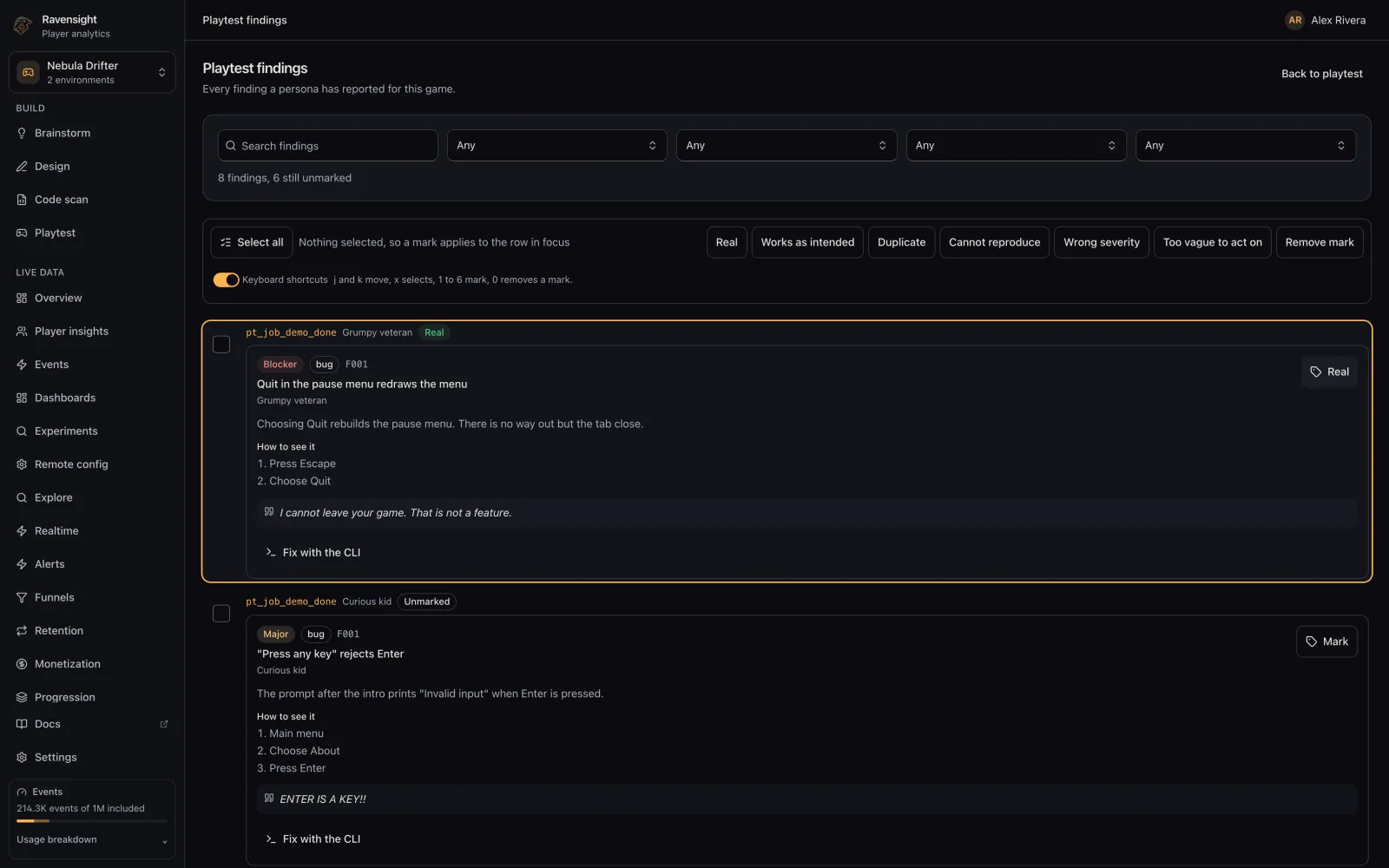
Review markdown reports and structured findings with severity and reproduction steps, alongside the screenshots a persona captured.
CONNECTED TO YOUR GAME
Playtest sessions are tagged synthetic in your event stream. Investigate the run while keeping real player analytics separate by default.
A REPORT YOU CAN ACT ON
Review findings in your game’s workspace. Connect a report to screenshots and the playtest session, then use your judgment to choose the next step.
A SMALL START. A BETTER FEEDBACK LOOP.
Follow the Playtest CLI setup and SDK integration guide. Your build runs on your own machine.
Select personas and review the applicable pricing before starting. Model calls use Ravensight’s metered proxy, with no customer model key required.
Open the job in Ravensight, read the findings and inspect screenshots. Decide which suggestions belong in your game.
THE PRACTICAL DETAILS
This page describes local AI Playtest: the CLI runs against your build on your own machine. A persona run does not upload your build. Hosted execution is not currently offered through this workflow.
No. AI Playtest uses a prepaid balance and separate pricing: $1 per persona run, $2 per long persona run, $4 per game profile and $5 per fix attempt. Review current pricing and the setup guide before starting.
Persona runs send gameplay information through Ravensight’s metered model proxy; they do not send your source code. Game profiling and fix attempts send the source files they read. Review the Playtest documentation before running a job.
No. AI personas can give you another perspective and repeatable evidence to review, but they do not represent every player or guarantee that every issue will be found. Use them alongside human feedback.
Synthetic sessions are tagged and excluded from ordinary player analytics by default. You can inspect them separately to understand the playtest.
YOUR GAME. YOUR NEXT CHAPTER.
Bring another perspective to your local build. Keep the creative decisions yours.
Create your account with RavensightAccount creation is free · AI Playtest runs are paid separately